
|

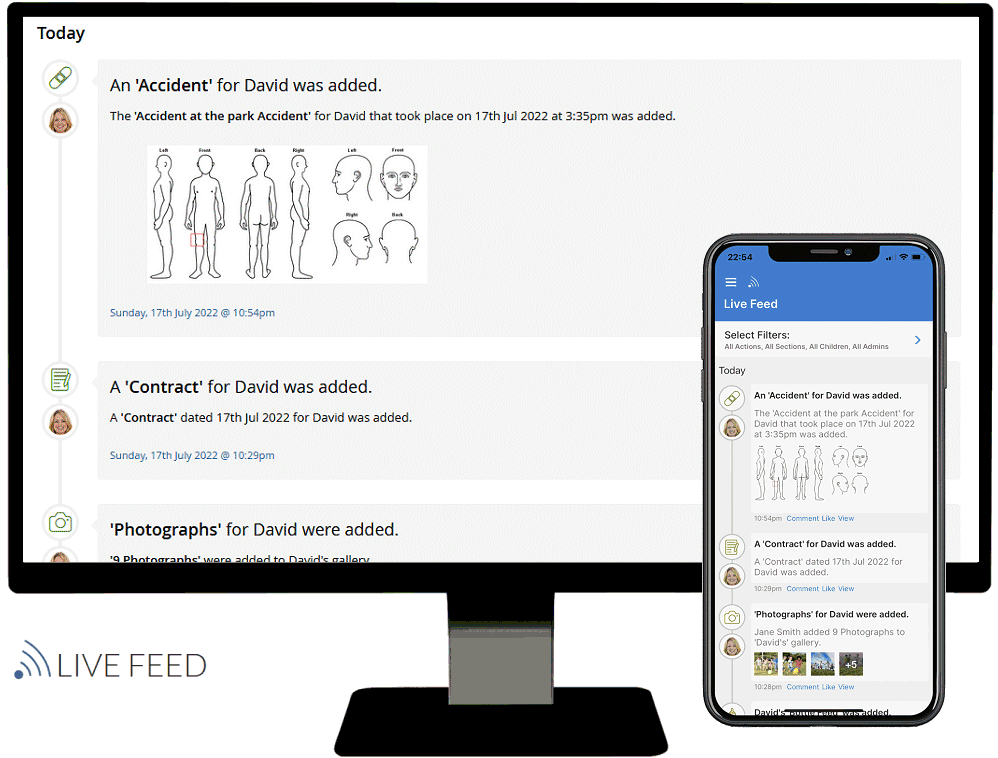
Baby's Days is the ONLY system available that allows parents to securely connect and view their children's Diaries, Progress Achievement Dates, Progress Photographs, Progress Notes, Observations, Photographs, Polices, Permissions, Invoices, Attendance Registers, Newsletters, Audio Clips and More!
In addition, by giving parents access to your system you WILL reduce the paperwork in your setting, you will no longer need to print or write daily diaries, print off Policies and Permissions for them to read or produce a learning journey for parents as Baby's Days does all this for you for every child in your care!
OFSTED are keen that all childcare facilities including childminders and nurseries form a partnership with the parents of the children they care for.
Baby’s Days is the only system available that allows the parents of the children you care for the ability to login to your system and securely view areas of their child's Early Years Development, these areas include:
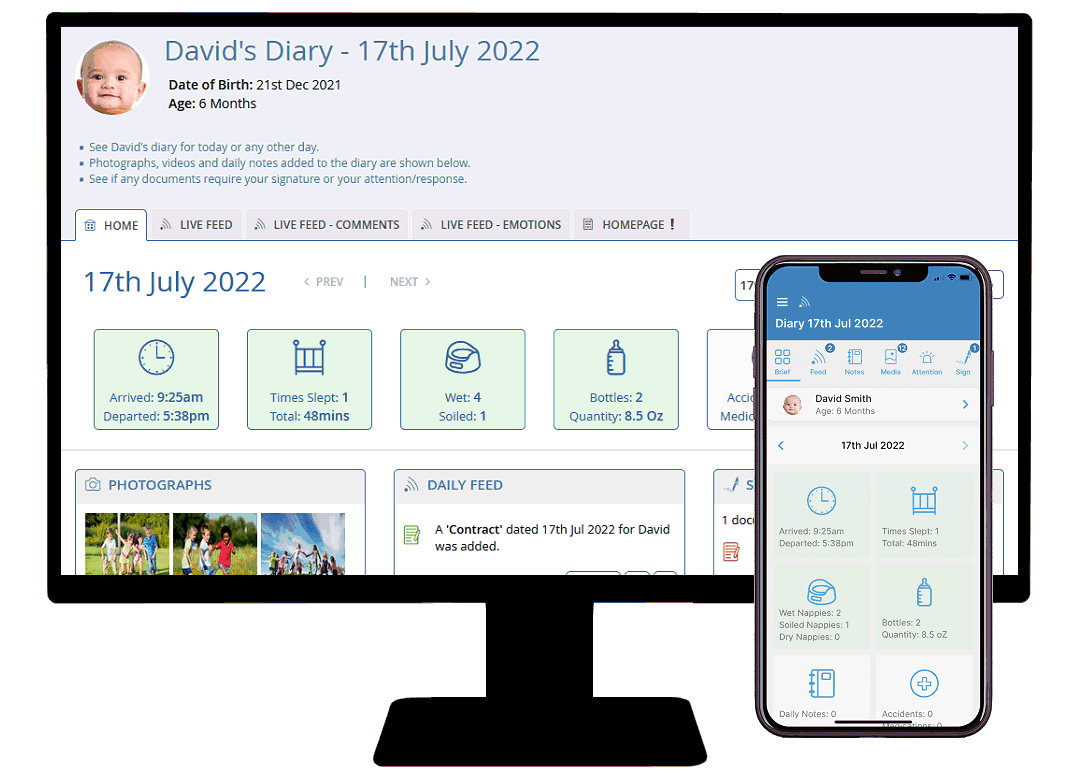
The parent side of the system will allow them to view any dairies that have been created for their child along with the photos that were uploaded for each day’s diary.
Parents can also view their child's complete Progress and Assessment scales including the achievement dates of each Development Matter, the Progress/Observation notes that have been added and all the photographs that have been uploaded to their child's Progress.
Parents can also view three photo galleries on the system for their child, remember there is no limit on the number of photographs you can upload to your personal Baby's Days system, some of our customers have already uploaded over 5,000 photographs to their systems, so now there is no excuse for you not to share those Early Years photographs with the parents of the children you care for.
You can also use the 60+ Policies and 20+ Permissions on the system and assign them to individual children, once Policies and Permissions have been assigned to a child, the parent can read your Policies and Permissions when they connect, they can then agree and digitally sign their acceptance of them.
Once you have created a weekly or monthly invoice parents can connect to your system to view and print them, saving you even more time and money in printing costs.

Parents can connect to your system and view their child's weekly Attendance Registers, if necessary and you require them to sign them, the system will not let them view other areas of your system until they have accepted the hours you have approved.


Create a Newsletter and the parent can connect and view the Newsletter online, you then receive statistical information that they have connected and the date they viewed the Newsletter.
You decide which areas of your system the individual children's parents can see on your system, you can allow them to view all areas of the system or just 1 or 2 areas for specific children.
If you do not want to give parents access to specific areas of your system, you simply deny them access using a simple tick box selection, you can decide how much or how little you want them to view, it really is so simple.
These are some of the comments that we received from customers and parents who use the Baby's Days system:
“They now realise how much is involved in the written side of my job and it’s easy for them to access”
“They love being able to log on and look at the photo's, diaries and have an input”
“They like it a lot, it keeps them up to date without having to pass a book back and forth”
"It is very thorough" "I love the diary and progress chart"
"They like that they can read about what the children are doing and see photos of what they have been doing. Some have given passwords to grandparents living far away so they can see what the children are doing on a daily basis."
"Very interesting, useful and handy for separated parents (as they both have access rather than having to wait to read the contact book) They like the photo uploads."
"Jame's parents were impressed and liked it, felt it was a good way of seeing what I did with their son, because it's hard to catch up when dropping of the child or picking up."
Shown below are a few screenshots of the Parent side of the Baby's Days system, what you see below is what a parent sees when they connect to your system to view their Child's Early Years Development.
Click each image for the bigger picture.
Parent Home Page
|
Click image to Enlarge.
|
Before a child can access your personal Baby's Days system, you must setup their username and password and then decide which area of your system you would like to give them access to
Simply tick the boxes alongside each area of the system you would like them to be able to access, this is particularity convenient if for example you do not create Diaries or do not complete their child's Progress.
When a parent first logs in to a Baby's Days system they arrive at the introduction page with a selection of links at the top of the page, from these they can view their child's Personal Information, created Diaries and Progress & Assessment Scales.
Parents can only view their child's information on the system and no other child's data, in addition, they cannot make any changes to their child's data.
|
Their Child's Personal Information
|
Click image to Enlarge.
|
When the parent clicks on the Child link at the top of their home page they will see their child's personal details as stored on the system.
|
Their Child's Created Diaries
|
Click image to Enlarge.
|
When the parent clicks on the Diary link at the top of their home page they will see the date and time their child's last Diary was created, in addition this will display a green tick if today's diary has been created or a red cross if it hasn't.
The parent can then select to view any of their child's created diaries, this is done by clicking on an icon within the month overview page.
Once they arrive at their desired Diary, they can view the Diary exactly as it was created by their child's carer, this includes:
Diary Notes.
Diary Observations.
Diary Information including meals, nappies and sleep time etc.
Comments left by their child's carer or by them.
Photographs uploaded to the day's Diary.
The parent can leave comments on the day's Diary for their child's carer to read, each party will be emailed if comments have been left for them.
Comments can also be left on the Diary's photographs, these comments will also be displayed within the child's Diary Gallery.
|
Their Child's Progress & Assessment Scales
|
Click image to Enlarge.
|
When the parent clicks on the Progress link at the top of their home page they will see an overview of their child's Progress and Assessment Scale areas, from here they can select an area to view.
A detailed explanation of this section of the system is provided for them.
At the top of each Development Area the parent can view their child's overall progress broken down by Development Area and includes detailed statistics of the number of Development Matters completed along with the overall % complete for all areas.
Within each Progress area the parent can view the date their child achieved each Development Area, along with Progress notes added by their carer and photographs that were uploaded.
This breakdown is available for all areas of both the Progress and the Assessment Scales for their Child.
|
Their Child's Photo Galleries
|
Click image to Enlarge.
|
As well as viewing their Child's photographs that you have uploaded into each day's diary and their Progress section, they can also view all the photos that have ever been uploaded to these areas quickly and in an organised fashion.
Diary Gallery - Every Photograph that you have ever uploaded to their child's daily diaries will appear in their child's Diary Gallery, these photographs will be categorised by the Year and the Month in which they were uploaded, this is a nice way for parents to see photographs of their child for a particular time of their Early Years Development with you.
Progress Gallery - Every Photograph that you have ever uploaded to their child's Progress will appear in their child's Progress Gallery, these photographs will be categorised by the Area of Learning, then Aspect and the Development Matter in which they were uploaded.
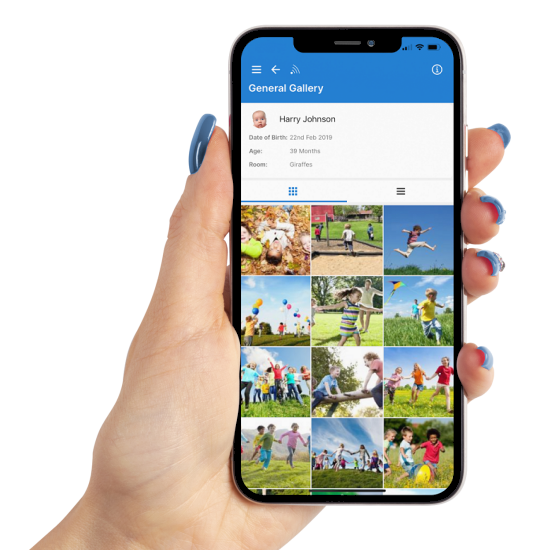
General Gallery - Every Photograph that you have ever uploaded to their General Gallery will appear in their child's General Gallery, these photographs will appear in the order you uploaded them with latest photographs at the top of the gallery.
Parents can also leave comments for you to read and in addition they can download a high resolution copyof any photograph you upload to their child's galleries.
|
Read and sign their acceptance of your Policies and Permissions
|
Click images to Enlarge.
|
The following Screenshots relate to the Policies section on the system, the Permissions section on the system works in the same way.
Now you never have to worry about continually asking the parents to sign your Policies or Permissions because the system will do that for you, once you have assigned your Policies and Permissions to their Child, the parent will be asked to sign their acceptance of your Policies and Permissions when they login to your system, in fact the system will not let them use any other area of the system until they have read, agreed to and signed their acceptance of your Policies and your Permissions, if they attempt to move to another area of the system, ie: view their child's diary the system will not let them.
Every policy and Permission that has been assigned to their Child will be displayed in an organised fashion in the category you assigned them to, they can then click and view each of your Policies and Permissions in turn, once they are happy with them they can then sign that they agree to them.
The system will then allow them to continue using the rest of the system.
In addition, when you connect to your system and enter the Policies or Permissions section on the system you will see a green tick confirming that the parents have agreed to your Policies and Permissions assigned to their child, the date they signed and the name they signed with.
|
Save yourself hours on EYFS paperwork and click here to order Baby's Days now for just £9.99 per month.
|